Simple setup
No accounts or login - just scan the QR code and start syncing.
Simplesync moves your photos and files directly between your devices over Wi-Fi. No cloud, no compression - just your originals at full quality.
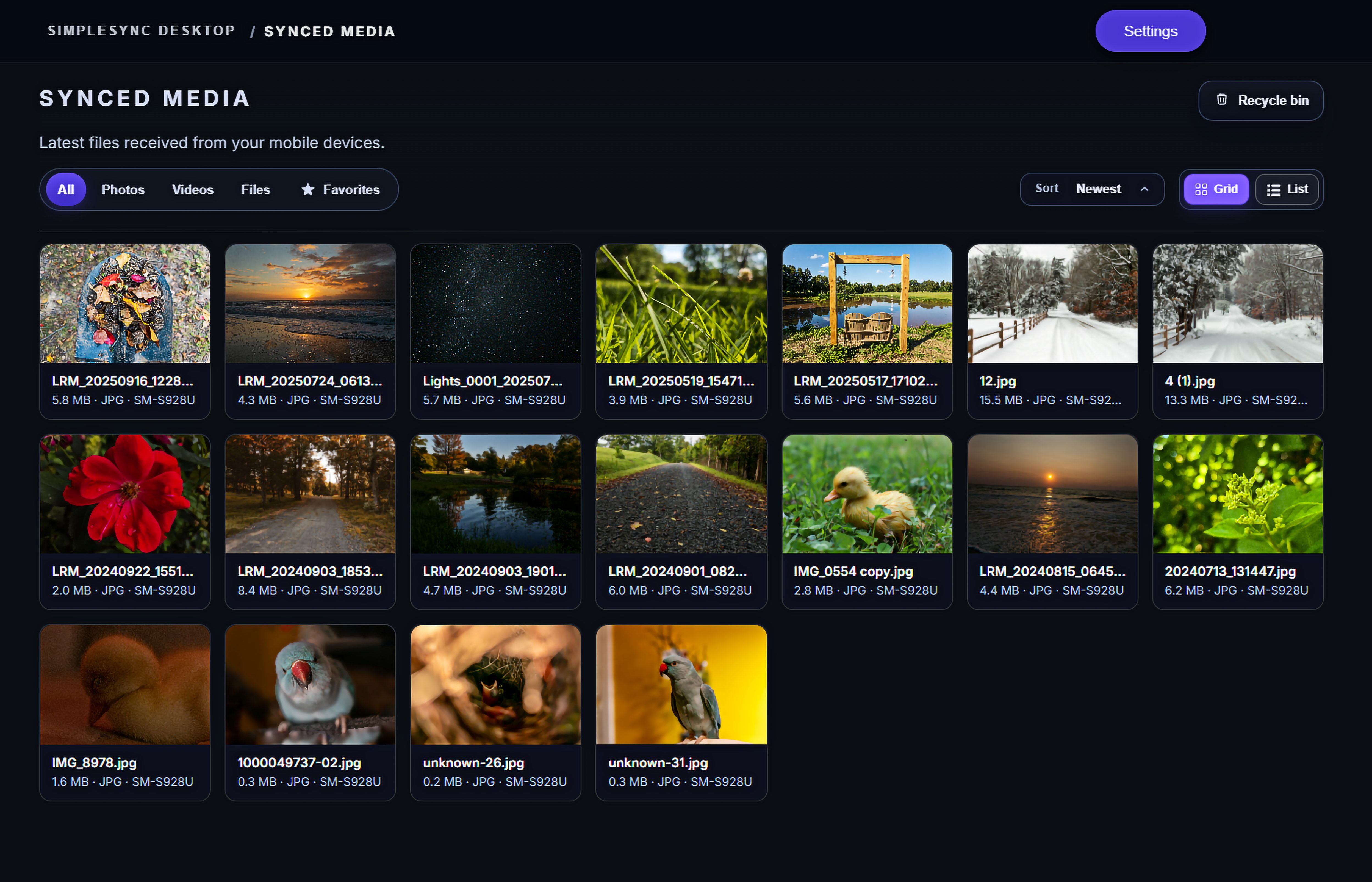
Everything you need for fast, private syncing.
Scan the QR code to pair. Start syncing instantly.
No compression — photos and videos stay original.
Encrypted in transit over your local Wi-Fi.
Pair your devices, select files you want to sync, and start syncing.
Open the SimpleSync app, then scan the QR with your phone.
Choose albums, files, or folders.
Transfers stay on your local Wi-Fi, in full quality.
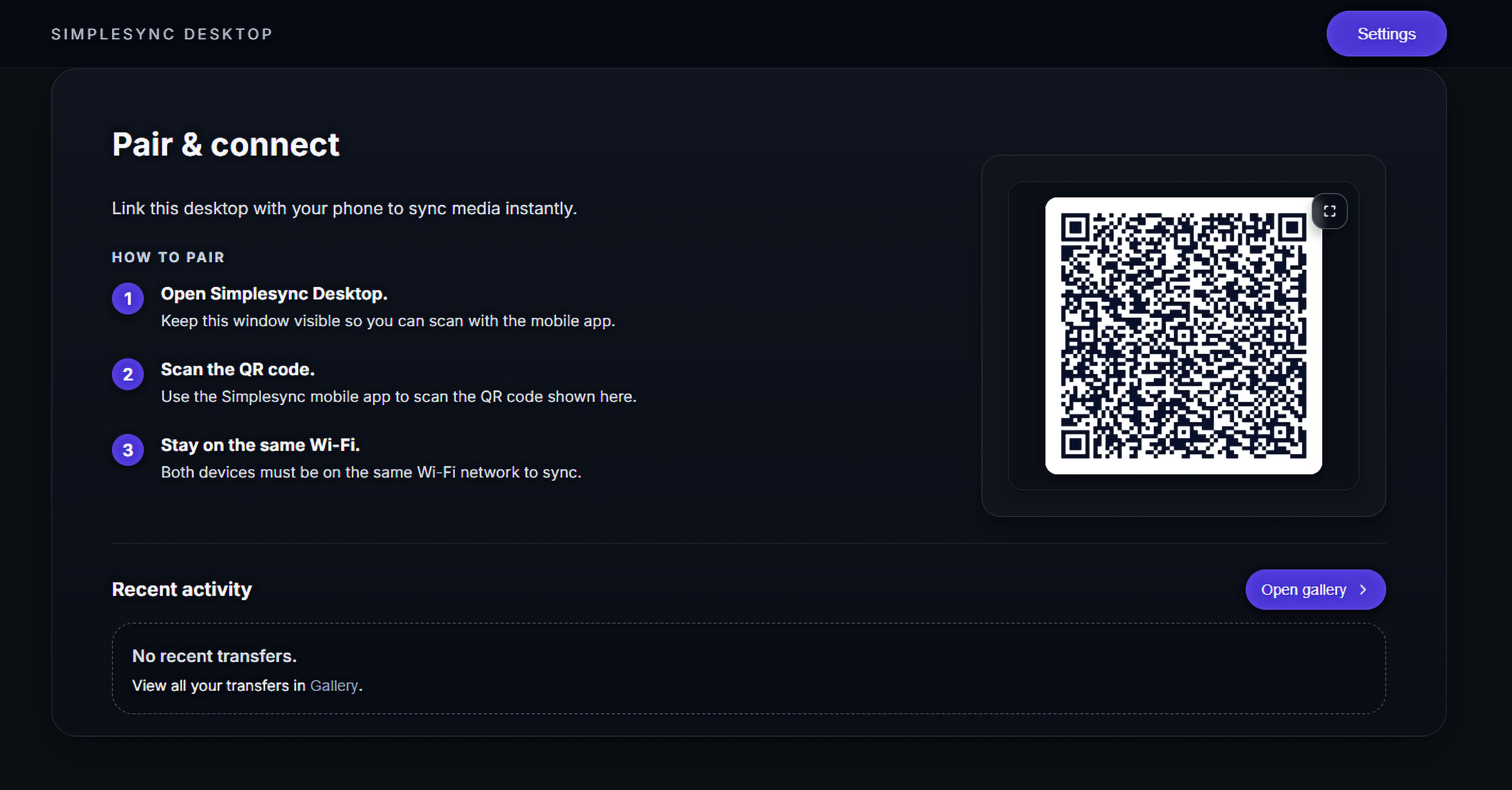
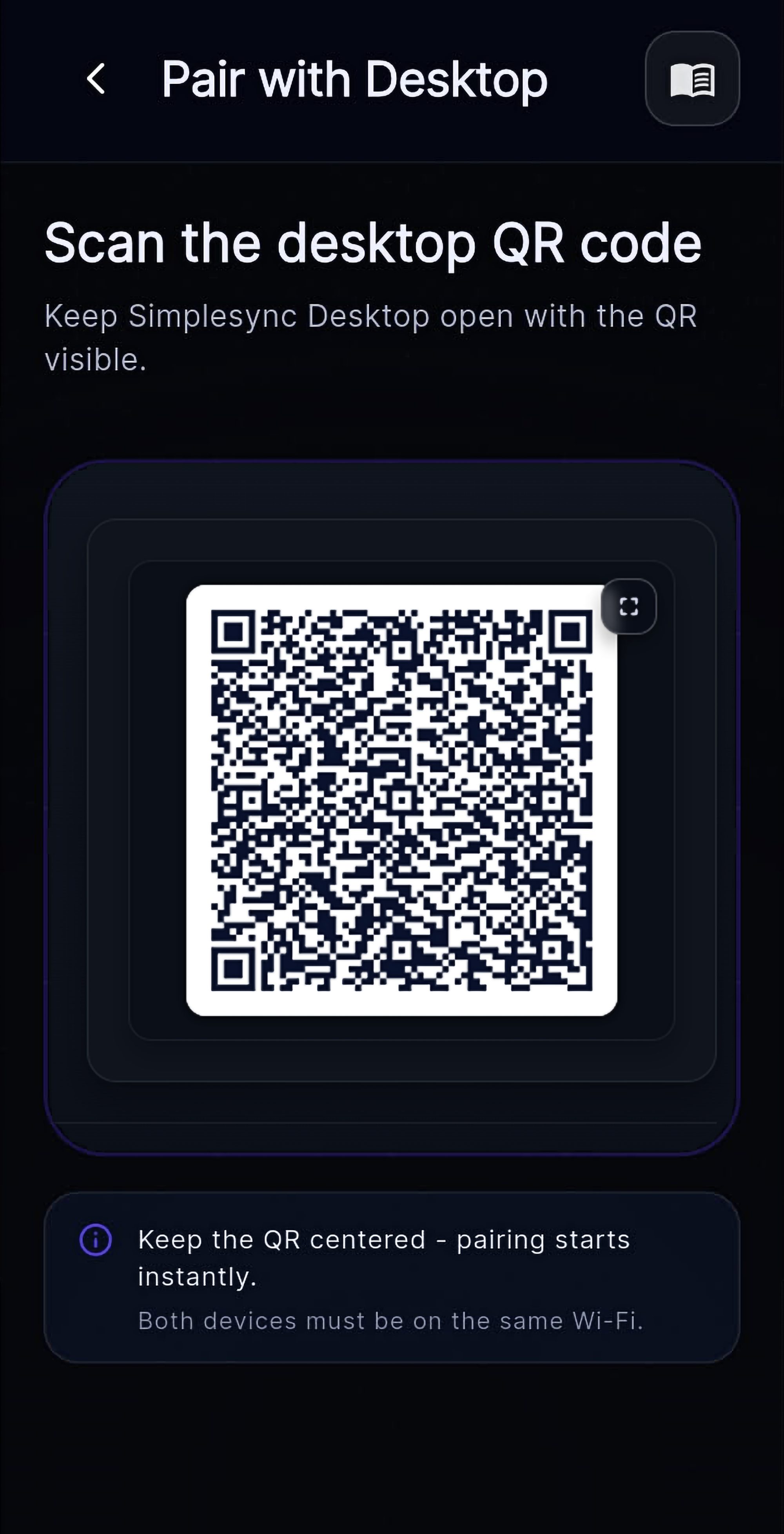
No accounts, no cloud - just direct Wi-Fi transfers.
No accounts or login - just scan the QR code and start syncing.
Sync in-app, share from your gallery or file picker, or use the home screen widget.
Sync Android-to-Android, Android-to-desktop, and sync to multiple devices when you need to.
Send individual files in either direction.
Sync in the background - or only when you choose.
Photos, videos, PDFs, ZIPs, and more.
Currently Windows, Linux, and Android devices are supported.
No - transfers stay on your local Wi-Fi.
No sign-up. Pair once with a QR scan.
You don't need Premium for Windows. Premium is purchased in the mobile app and applies to that mobile device. If you use both a phone and a tablet, each mobile device needs Premium only if you want Premium features on both. You can also have one Premium mobile device and keep another on the free plan.
Encrypted in transit on your local network.
No - nothing routes through Simplesync servers.
Saved locally. Choose the destination.
Sync files between devices. Simply.